|
|
|
|
|
|
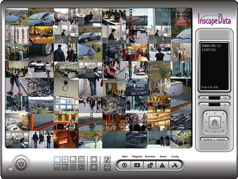
AirGoggleTM IP Video Viewer and Recorder Software
|
Inscape Data has developed a complete range of IP Video software products to be included with every AirGoggle IP Video hardware purchase. Our software portfolio ranges from smaller
installations to large and scalable systems. AirGoggle IP Video management software provides core monitoring, recording,
and playback capability. The two software classes consist of workstation-based NVR 100 and server-based NVM1000. Inscape Data is also proud to present next generation intelligent surveillance management software - AirGoggle NVM2000, which is also now available for purchase.
Datasheet for NVM2000, NVM1000 and NVR100
|

|
AirGoggleTM NVM2000
Surveillance Management Software
The NVM2000 next generation intelligent IP video management software platform provides the most
cost effective, future-proof video recording, detection, and delivery solution, from small business to
enterprise-scale applications. Monitor live video and investigate recorded video from outside the
control room via multiple video clients – local area network, web-based, and handheld anywhere on
the network, even the Internet. With support for IP video over wireless, surveillance and recording of
remote applications are now realized.
The NVM2000 offers non-proprietary open-architecture multi-vendor IP camera support and runs on
off-the-shelf PC servers and workstations. Features include video content analytics, instant
response, object counting and detection, intelligent recorded video search, and remote playback
server to name a few. The NVM2000 is used in a wide range of applications from wireless parking
lot video detection to campus wide centralized video monitoring. The NVM2000 is easy to use. Its
powerful software management graphical user interface offers one click access to major video
management functions.
|
|
|
 |
 |
Server-Based IP Video management for up to 64 cameras and devices, the NVM1000 offers anadvanced solution for medium to large installations. It is designed to run as a daemon on a Windows-based sever with a minimum requirement of twodedicated recording hard drives for high-performance recording, monitoring,
and playback of security audio and video clips.
The NVM1000 can configure as a dedicated recording server, dedicated viewer, dedicated playback system, and dedicated viewer/recording/playback system for up to 64 cameras. Multiple monitor support, E-Map, event management, object-tracking, intelligent PTZ control, real-time surveillance, and simultaneous video playback are just a few of the many featuresoffered in our NVM1000 IP Video management software.
*Included with Product Purchse
|
Workstation-based IP Video management for up to 16 cameras and devices, ourNVR100 is the perfect solution for a smaller installation and remote viewing client. Any current Windows workstation class PC is capable of supporting ourNVR100 software.
The NVR100 provides the features you need to quickly generate results from Inscape Data’s IP Video camera systems. Object-tracking, Intelligent PTZ controls, real-time surveillance, and simultaneous playback are just few of the many featuresin our NVM1000 IP Video management software.
*Included with Product Purchse
|
| |
|
|
|
|
|
|
|
Medium to large Installations
|
Smaller Installations or Viewer only
|
|
|
|
|
|
|
5 (1 for dedicated playback)
|
|
Minimum Hard Drive Requirement
|
|
|
|
|
|
|
|
|
|
|
Camera Configuration Per Monitor |
|
|
|
|
|
The AirGoggle PV100 PDA Viewer is an advanced IP-surveillance software application that is specifically designed for the Microsoft PocketPC OSs and works with AirGoggle IP Video cameras and video servers to provide remote video monitoring and management functions wirelessly. With the PV100 software, users can view their video remotely on a PDA (e.g., iPAQ 5400), receiving streaming video wirelessly from any of the installed AirGoggle cameras or servers. |
 |
AirGoggle PV100
PDA Viewer Software
One camera per viewing time
Remote P/T and P/T/Z control
Available for Microsoft
PocketPC 2002 and 2003 OS |
|
|
To learn more about how to use AirGoggle video security solutions, please refer to
AirGoggle Video Security Application Notes
|
|